Block Bear home page
Search...
⌘K
about
block bear
journal
goals
trends
blocks
home
home
sidebar
account settings
current block
journal
pinboard
settings
your library
plans
sessions
marketplace
beta
authors and clubs
blocks
Contact
Join Waitlist
Block Bear home page
Search...
⌘K
Contact
Join Waitlist
Join Waitlist
Search...
Navigation
home
home
Documentation
Documentation
home
home
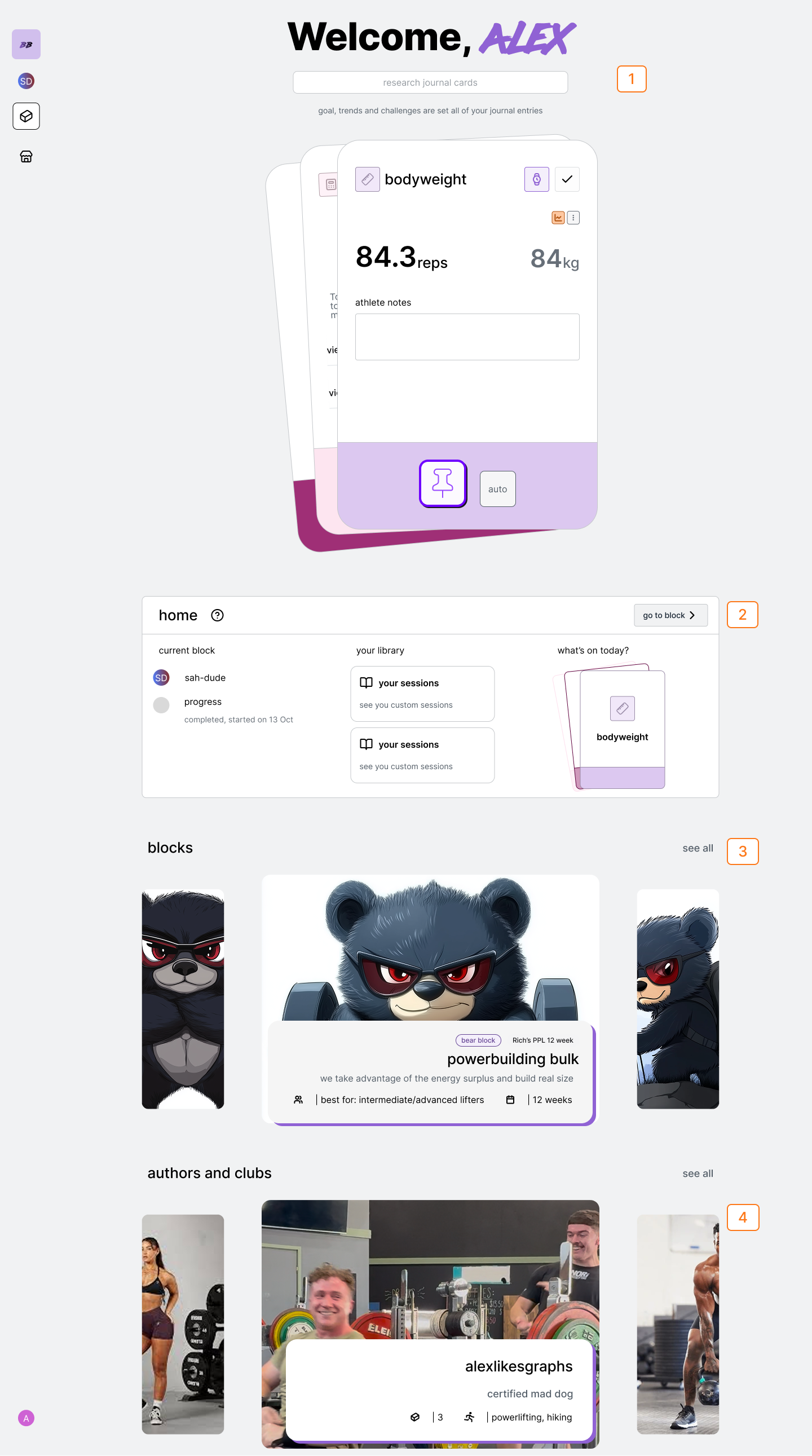
your control center
Num
Description
1
Search
2
Current Block Stats and Progression
3
Blocks
4
Authors and Clubs
search
current block
view today and primary block stats
1
if you’ve started or recently viewed a block: the progress and status of the block will be in the current block section.
navigate to current block
1
Tap ‘go to current block” to go to block view to access the blocks journal and pinboard.
navigate to plans
1
Tap the “plans” library card
navigate to sessions
1
Tap the “sessions”library card
market
Recommended blocks will be shown in the market block carousel. Tap the carousel card to see the block description
authors and clubs
Top authors and clubs will be shown in the author carousel. Tap the author or club card to see their page.
Previous
sidebar
access, control and create blocks
Next
⌘I
On this page
search
current block
view today and primary block stats
navigate to current block
navigate to plans
navigate to sessions
market
authors and clubs