> ## Documentation Index
> Fetch the complete documentation index at: https://blockbear.app/llms.txt
> Use this file to discover all available pages before exploring further.
# sessions
> build your activities to import into your journals and your plans
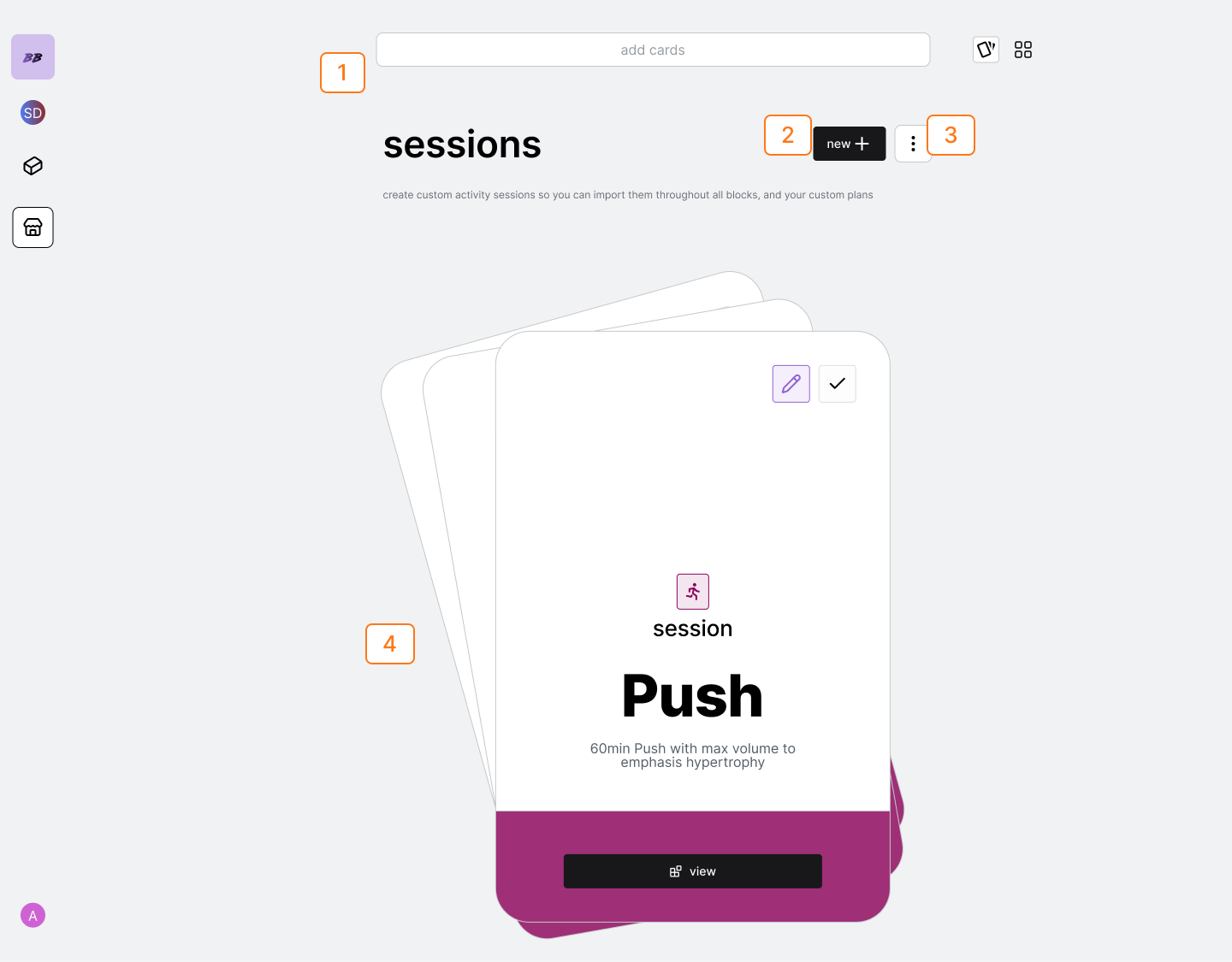 | Num | Description |
| --- | --------------------------------------- |
| 1 | Activity and Activity Session Searchbar |
| 2 | Add New Session Button |
| 3 | Session Options |
| 4 | Card Swiper Deck |
## sessions flows
### view session
tap the session from the swiper deck or the grid carousel to open up session
view.
### create new session
tap the new button to create a blank session.
### delete session
either go to the vertical ellipses and select delete top card from deck, or
click into the session itself and delete from the session options.
## session flows
| Num | Description |
| --- | --------------------------------------- |
| 1 | Activity and Activity Session Searchbar |
| 2 | Add New Session Button |
| 3 | Session Options |
| 4 | Card Swiper Deck |
## sessions flows
### view session
tap the session from the swiper deck or the grid carousel to open up session
view.
### create new session
tap the new button to create a blank session.
### delete session
either go to the vertical ellipses and select delete top card from deck, or
click into the session itself and delete from the session options.
## session flows
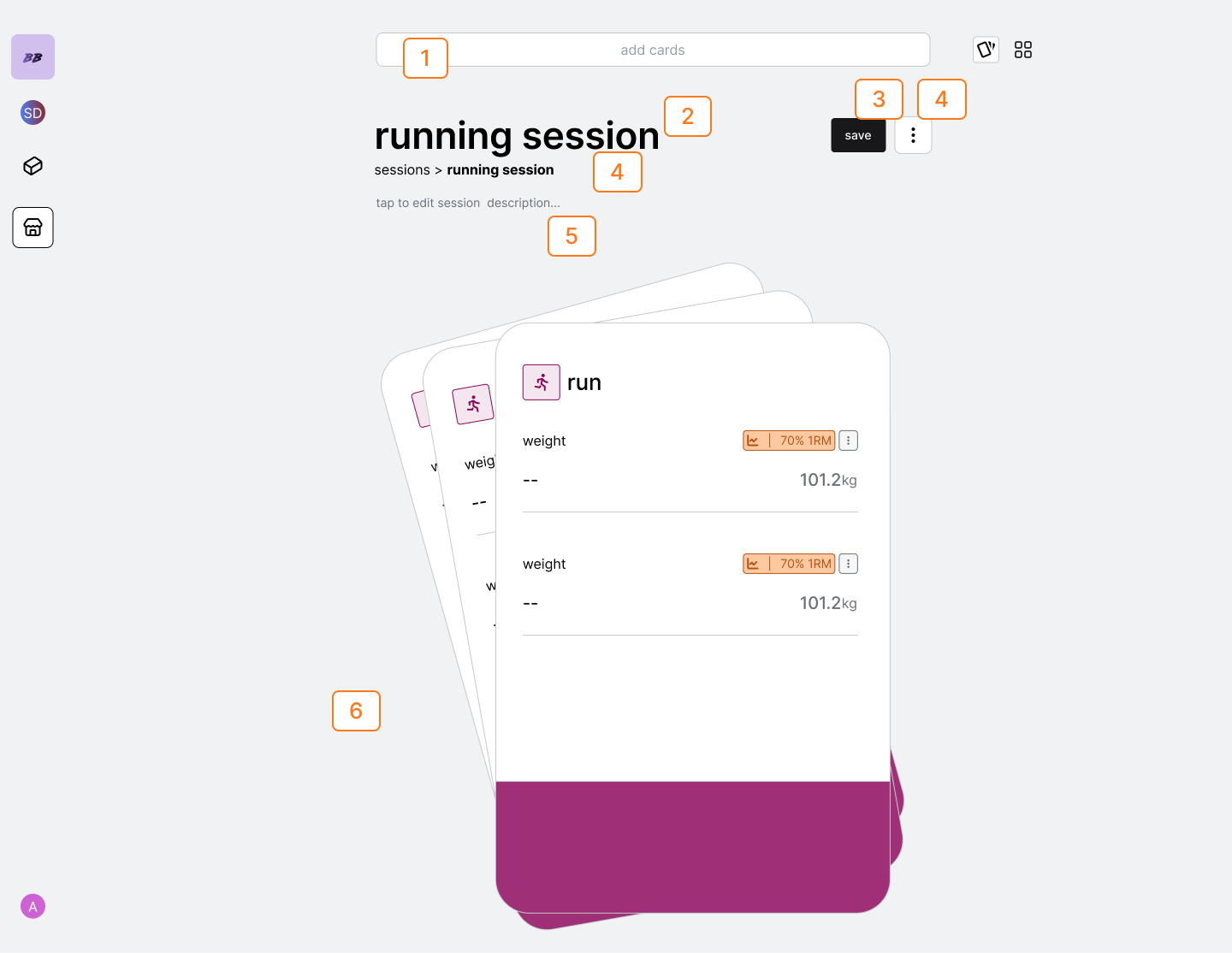 | Num | Description |
| --- | --------------------------------------- |
| 1 | Activity and Activity Session Searchbar |
| 2 | Session Name |
| 3 | Save Button |
| 4 | Session Options |
| 5 | Navigation Breadcrumbs |
| 6 | Card Swiper Deck |
### edit session title
tap the session header to edit title
### edit session description
edit the description from the 'tap to edit session description field'
### add activity cards to a session
search for the activity in the searchbar. Once you click on hit, the
activity will be added to session you are viewing.
### delete activity cards from a session
select the vertical ellipses session options and select 'delete top card
from deck'
### set activity target
you will only be able to set manual targets for your sessions. These are the
target fields you will view once you import the session into a plan or
block.
### remove activity target
tap the vertical ellipses in the field options and select 'remove target'
### navigate back to sessions
either use the breadcrumbs to navigate back to sessions, or go to session
options and select "navigate up"
| Num | Description |
| --- | --------------------------------------- |
| 1 | Activity and Activity Session Searchbar |
| 2 | Session Name |
| 3 | Save Button |
| 4 | Session Options |
| 5 | Navigation Breadcrumbs |
| 6 | Card Swiper Deck |
### edit session title
tap the session header to edit title
### edit session description
edit the description from the 'tap to edit session description field'
### add activity cards to a session
search for the activity in the searchbar. Once you click on hit, the
activity will be added to session you are viewing.
### delete activity cards from a session
select the vertical ellipses session options and select 'delete top card
from deck'
### set activity target
you will only be able to set manual targets for your sessions. These are the
target fields you will view once you import the session into a plan or
block.
### remove activity target
tap the vertical ellipses in the field options and select 'remove target'
### navigate back to sessions
either use the breadcrumbs to navigate back to sessions, or go to session
options and select "navigate up"