> ## Documentation Index
> Fetch the complete documentation index at: https://blockbear.app/llms.txt
> Use this file to discover all available pages before exploring further.
# sidebar
> access, control and create blocks
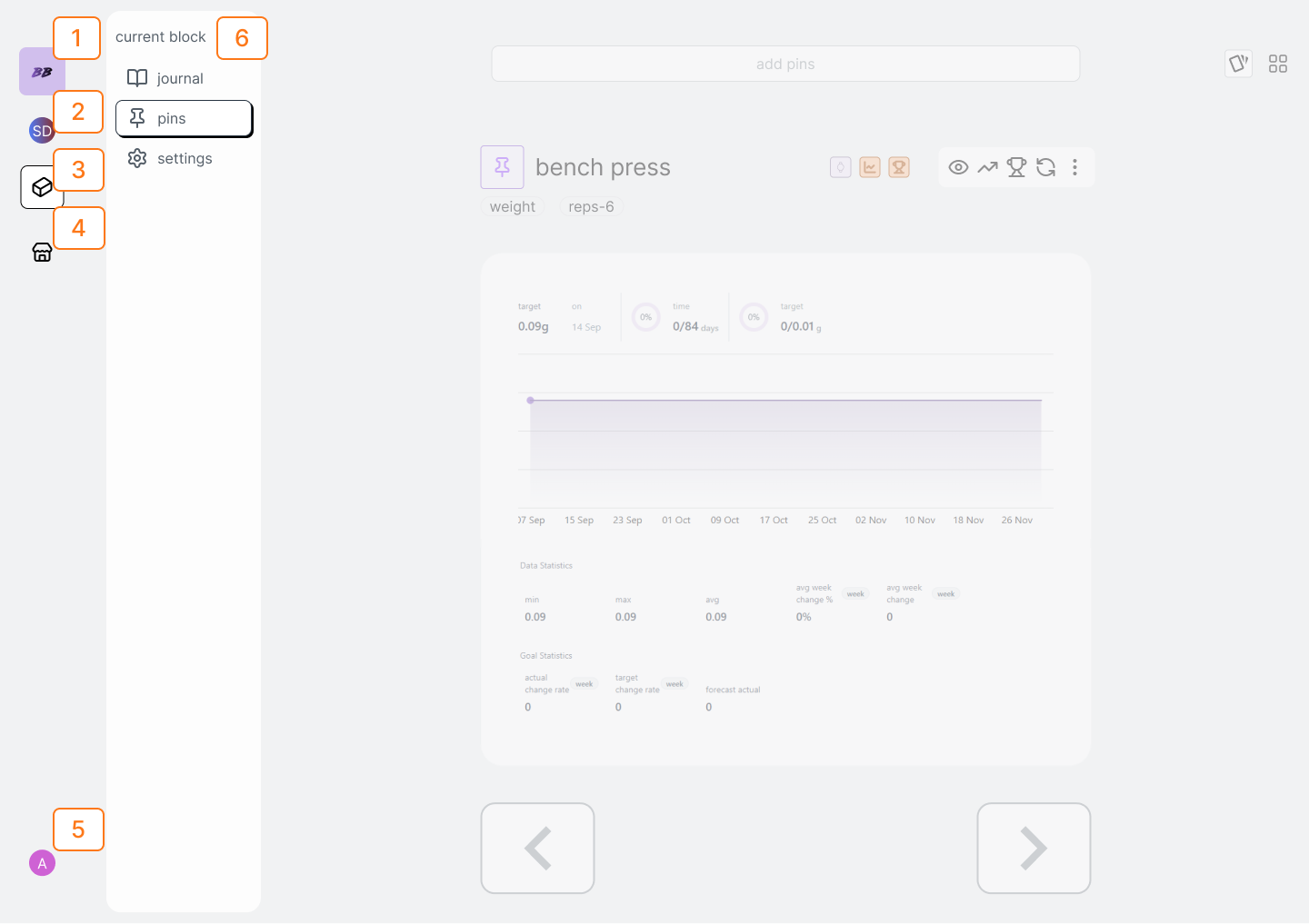 | Num | Description |
| --- | -------------------- |
| 1 | Home Button |
| 2 | Block Dropdown |
| 3 | Current Block Button |
| 4 | Market Button |
| 5 | User Button |
| 6 | Current Block Pane |
## sidebar
### navigate to current block
tap the "current block" button
### navigate to marketplace
tap the "market" button
### navigate to your home
tap the "home" button
## block dropdown
| Num | Description |
| --- | -------------------- |
| 1 | Home Button |
| 2 | Block Dropdown |
| 3 | Current Block Button |
| 4 | Market Button |
| 5 | User Button |
| 6 | Current Block Pane |
## sidebar
### navigate to current block
tap the "current block" button
### navigate to marketplace
tap the "market" button
### navigate to your home
tap the "home" button
## block dropdown
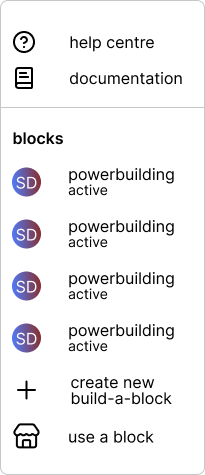 all of your blocks will be displayed by clicking the "block dropdown"
### navigate to a different block
tap the "block dropdown"
select the block. this will open the block and its "block pane" will appear
### create a new build-a-block
tap the "block dropdown"
select "create new build-a-block". This will open the build-a-block modal.
From the build-a-block modal you can select the length and add one of your
plans to pre-fill your journal.
all of your blocks will be displayed by clicking the "block dropdown"
### navigate to a different block
tap the "block dropdown"
select the block. this will open the block and its "block pane" will appear
### create a new build-a-block
tap the "block dropdown"
select "create new build-a-block". This will open the build-a-block modal.
From the build-a-block modal you can select the length and add one of your
plans to pre-fill your journal.
 ### find a bear-block or boss-block
Bear and Boss Blocks Coming Soon!
tap the "block dropdown"
select the the "find bear or boss block" option
### find a bear-block or boss-block
Bear and Boss Blocks Coming Soon!
tap the "block dropdown"
select the the "find bear or boss block" option