> ## Documentation Index
> Fetch the complete documentation index at: https://blockbear.app/llms.txt
> Use this file to discover all available pages before exploring further.
# home
> your control center
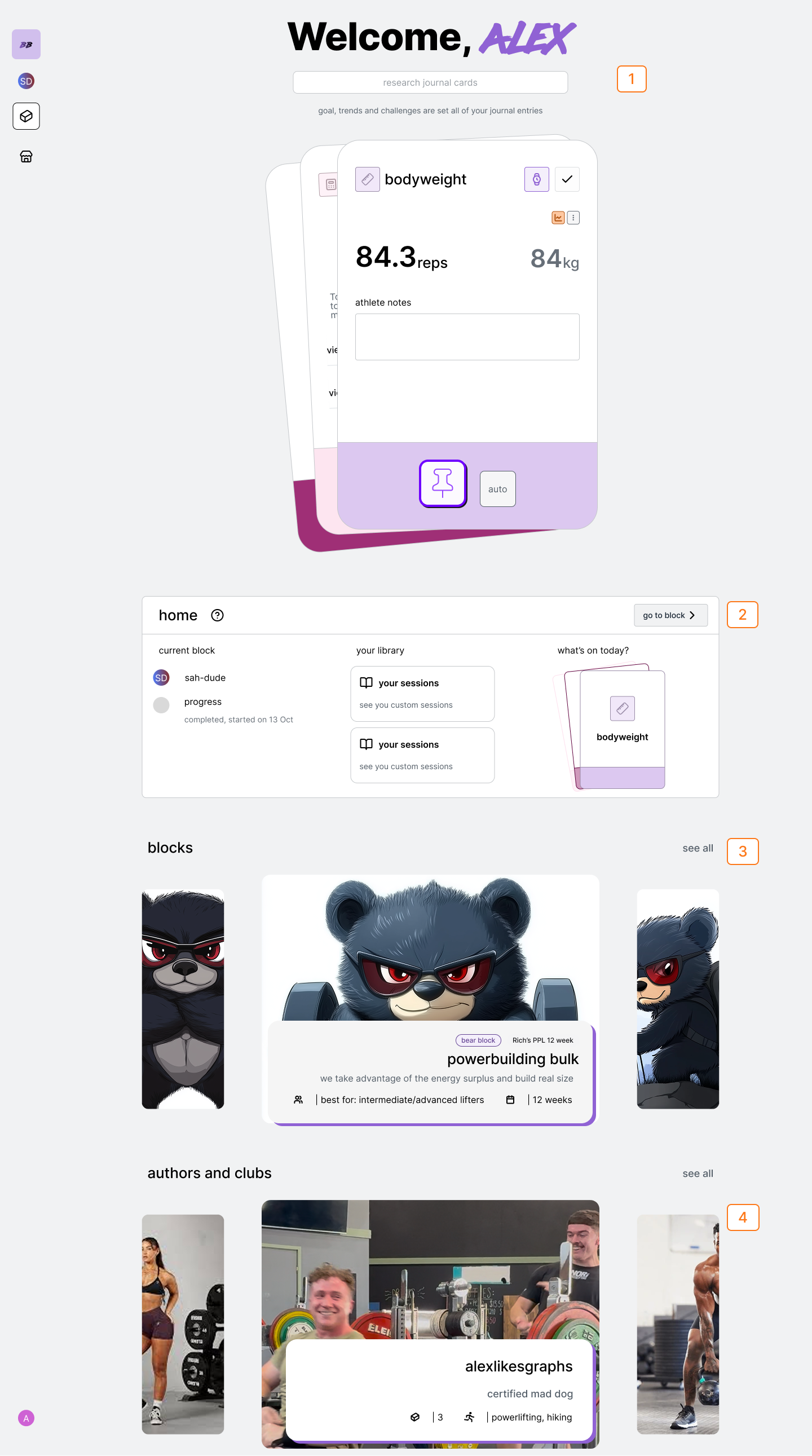 | Num | Description |
| --- | ----------------------------------- |
| 1 | Search |
| 2 | Current Block Stats and Progression |
| 3 | Blocks |
| 4 | Authors and Clubs |
## search
## current block
### view today and primary block stats
if you've started or recently viewed a block: the progress and status of the
block will be in the current block section.
### navigate to current block
Tap 'go to current block" to go to block view to access the blocks journal
and pinboard.
### navigate to plans
Tap the "plans" library card
### navigate to sessions
Tap the "sessions"library card
## market
Recommended blocks will be shown in the market block carousel. Tap the carousel card to see the block description
## authors and clubs
Top authors and clubs will be shown in the author carousel. Tap the author or club card to see their page.
| Num | Description |
| --- | ----------------------------------- |
| 1 | Search |
| 2 | Current Block Stats and Progression |
| 3 | Blocks |
| 4 | Authors and Clubs |
## search
## current block
### view today and primary block stats
if you've started or recently viewed a block: the progress and status of the
block will be in the current block section.
### navigate to current block
Tap 'go to current block" to go to block view to access the blocks journal
and pinboard.
### navigate to plans
Tap the "plans" library card
### navigate to sessions
Tap the "sessions"library card
## market
Recommended blocks will be shown in the market block carousel. Tap the carousel card to see the block description
## authors and clubs
Top authors and clubs will be shown in the author carousel. Tap the author or club card to see their page.